Assisting Dell Users
Dell SupportAssist for PCs is the official utility and tools software created by Dell Inc. The device assistant helps users get the most out of their Dell computers and machines. It scans for problems and provides troubleshooting solutions.
Top Recommended Alternative

Automated Troubleshooting Features
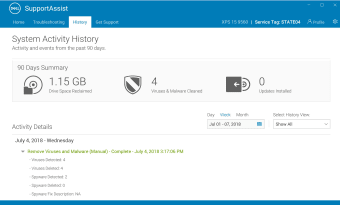
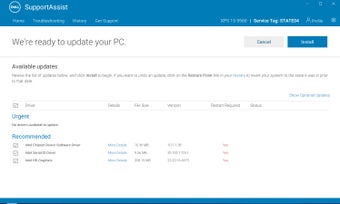
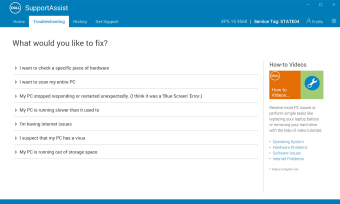
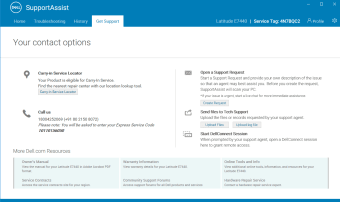
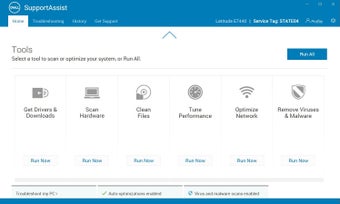
Dell SupportAssist for PCs is built as an automated support technology for Dell users. Users can ask for quick solutions or even live help whenever they encounter any issues with their Dell computers. Machines like Dell are not full-proof when it comes to bugs and errors. Non-experts may have difficulty running a diagnostics test by themselves. The software provides proactive and predictive scanning of computer status. Users can check the current hardware and software health of their computers through its functions. It also offers updates for components such as the drivers and firmware. Any detected errors are sent to Dell and users receive guides for alleviating the problem. User can also clean junk files, get a better network connection, tuneup their computer’s performance, or contact any local Dell operators. The software store pieces of code to common repositories or direct link libraries (DLL). Any programs will load DLL files upon starting up. There is an option for upgrading to Premium Support or Premium Support Plus. The two has automated issue detection, failure prevention, notification and case creation, and predictive issue detection.
The Uglier Side
Unfortunately, the software gives more problems than solutions. Since it provides direct control to the computer’s system, hackers can control the computer after breaching the security features. According to Tom’s Hardware on May 2019, SupportAssist was vulnerable to malicious elements. Hackers can access administrative privileges on Dell machines while at the same time launch malicious code for taking over Dell machines. The DLL repositories can be corrupted by hackers. Users were advised to patch the software to prevent hacking. Another known issue with Dell SupportAssist is that it takes large system resources to run even on the background. This could conflict with other resource-heavy apps or software.
Just Deactivate It
Dell SupportAssist for PCs is more of a nuisance rather than help. It consumes too much system resources and Dell updates are not that necessary. Users may opt to uninstall this software from their Dell computers or avoid downloading this at all.